
Diagnose any endpoint issue.
Find root cause.
Ship the fix.
Sherlock Agent investigates real telemetry across your fleet, identifies why the issue is happening, and generates remediation scripts you can deploy at scale — all from a central console with full tenant separation.


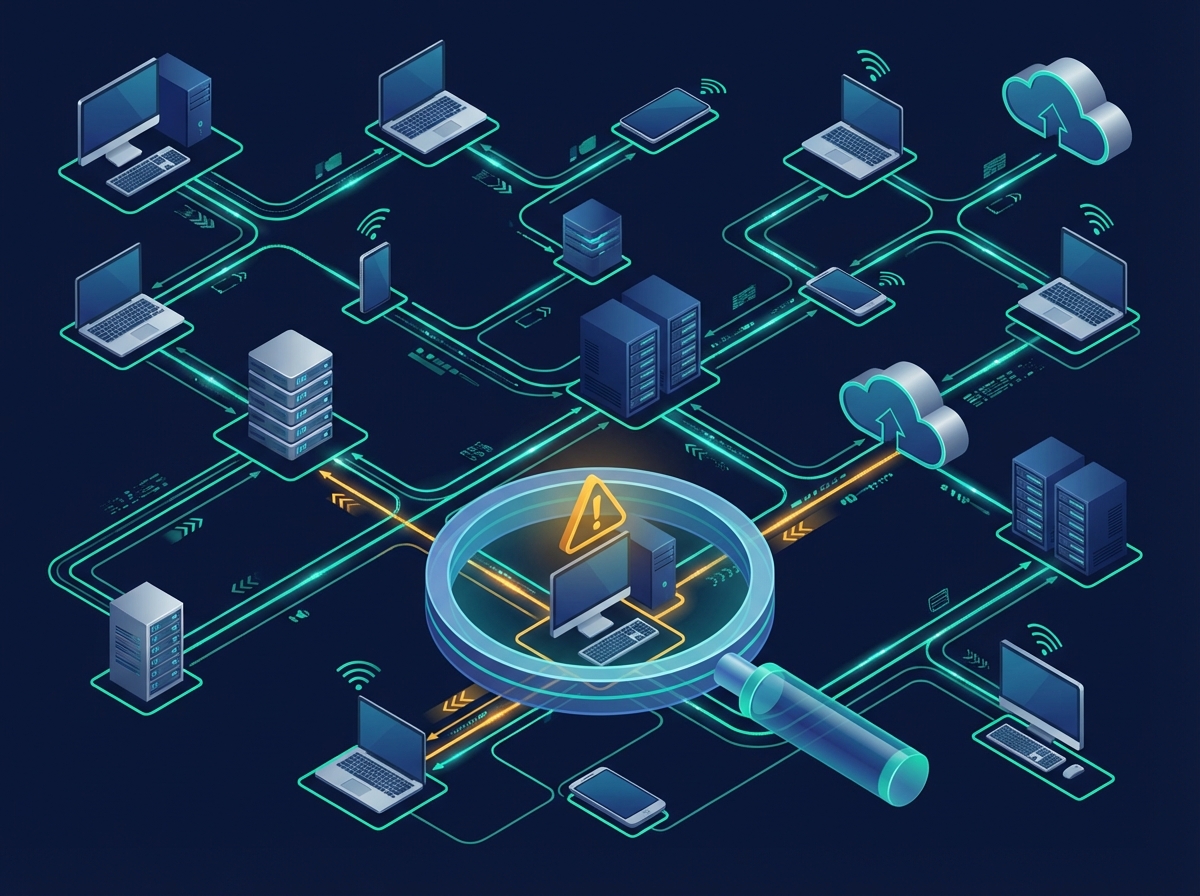
Built for investigation at scale
Collect signals from endpoints, run guided investigations, and turn findings into repeatable automations — across every tenant, from a single console.
Multi-tenant console
Deploy, scope, investigate, and remediate across tenants without cross-contamination. Every customer stays in their lane.
Signals from the edge
Collect diagnostics, logs, policies, app state, and system events. Correlate them to explain what changed and why it broke.
From diagnosis to fix
Generate scripts, playbooks, and rollback plans. Deploy, validate, and report — no more tribal knowledge locked in someone’s head.
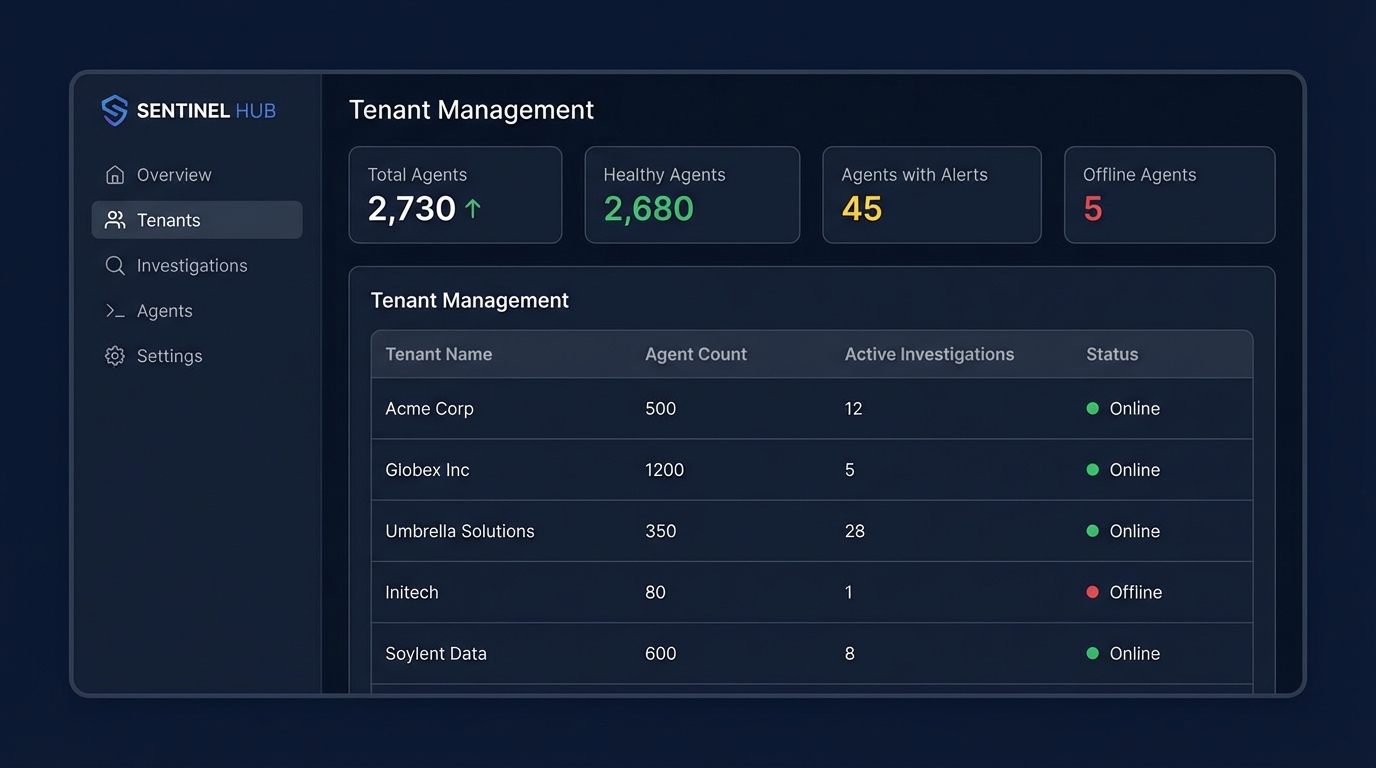
One console for every tenant, every investigation
Manage all your customers from a single portal. Launch investigations, review findings, approve remediations, and track outcomes — without switching between tools or tenants.
- Full tenant isolation with scoped access controls
- Real-time agent status across your entire fleet
- Investigation history with complete audit trails
- Role-based access for techs, managers, and admins
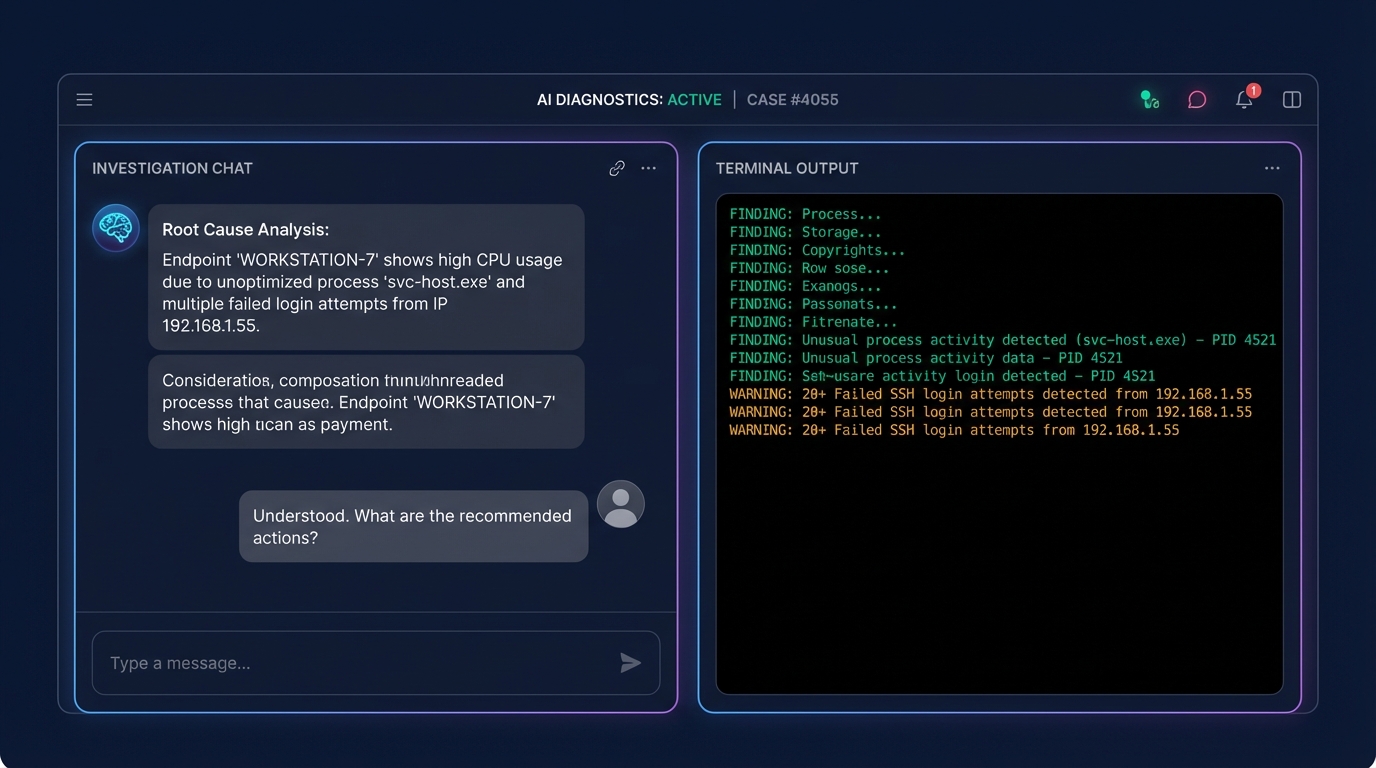
AI that investigates, not just responds
Describe the symptom. Sherlock pulls the relevant signals from the endpoint, narrows down suspects, and explains root cause with evidence — not guesses.
- Natural language symptom input — no query language to learn
- Automated signal collection across system layers
- Root cause identification with supporting evidence
- Impact analysis across affected device groups
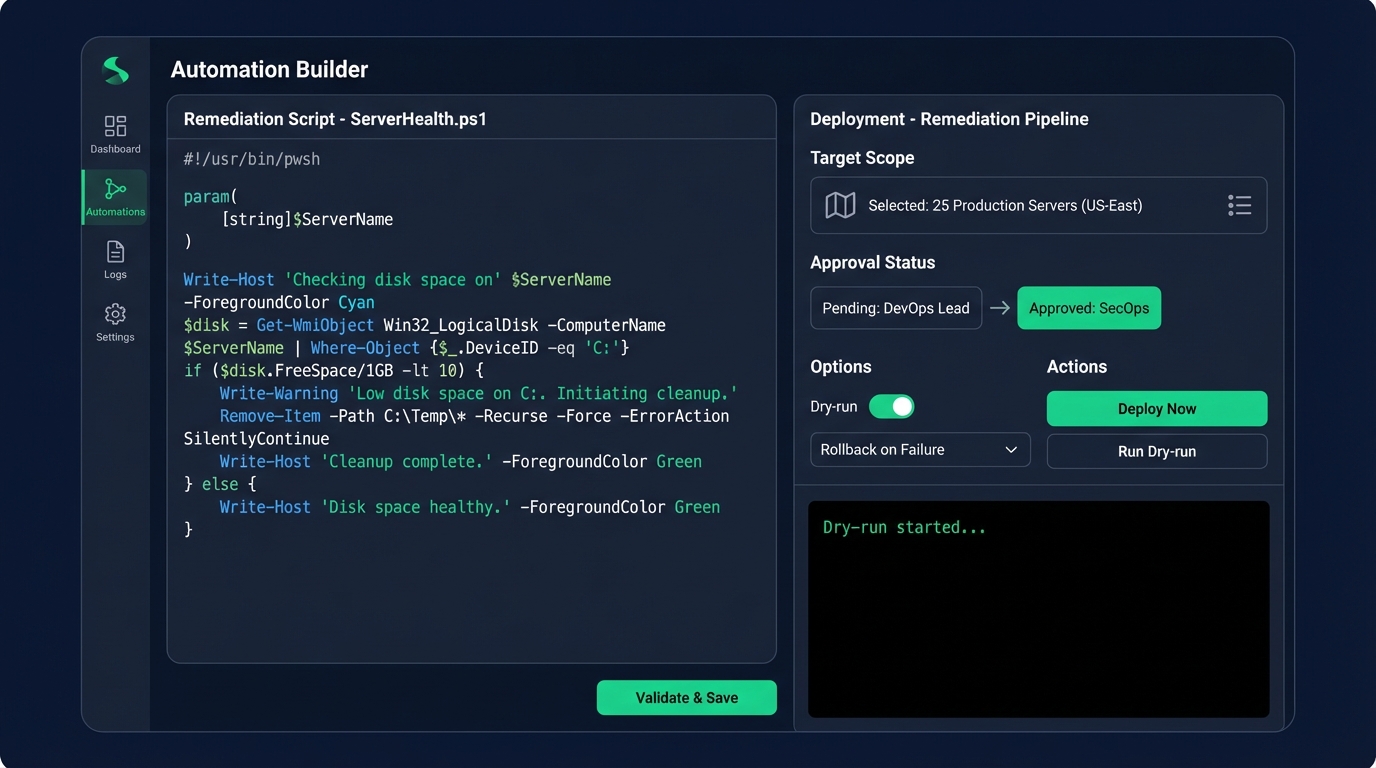
From diagnosis to deployment in one click
Generate remediation scripts with guardrails built in. Review the code, set your target scope, run a dry-run, get approval, and deploy — with rollback ready if anything goes sideways.
- AI-generated PowerShell with guardrails and rollback
- Approval workflows with multi-stage gates
- Dry-run mode to validate before deploying
- Scoped deployment to specific device groups
How it works
Deploy, investigate, remediate, verify. Then turn it into automation so you never do it manually again.
Install agents at scale
Roll out via RMM, Intune, GPO, or your installer pipeline. Assign tenants, sites, groups, and policies.
Ask the right questions
Start with symptoms. Sherlock pulls the relevant signals, narrows suspects, and explains root cause with evidence.
Generate and deploy fixes
Create scripts with guardrails, approvals, rollback, and reporting. Deploy safely to the right scope.
Close the loop
Validate outcomes across devices, confirm the symptom is gone, and store the automation as a reusable pattern.
Simple pricing. No per-ticket fees.
Pay per agent, per month. Every plan includes the full investigation and remediation engine. Investigations are billed on a usage-based credit system.
- Full investigation engine
- 1 tenant
- Included credit balance
- Email support
- Audit trail
- Everything in Starter
- Unlimited tenants
- Automation builder + deployment
- Larger credit allowance
- Role-based access
- Priority support
- Everything in Pro
- Custom credit packages
- SSO / Entra ID integration
- Custom branding
- Dedicated onboarding
- SLA and phone support
Trusted by MSPs who are done guessing
"We used to spend 45 minutes on a Teams audio issue across 30 devices. Sherlock found the GPO conflict in under 3 minutes and generated the fix. That alone paid for the month."
"The tenant separation is what sold us. We manage 40+ customers and needed investigation tooling that didn't mix signals between environments. Sherlock nails it."
Security and governance, built in
You’re deploying an investigative agent into production environments. Security cannot be an afterthought.
Tenant isolation
Logical separation, scoped access, and data controls keep every tenant in their lane. No data leakage, no shared context.
Full audit trail
Every investigation step, command output, approval, and deployment is logged end to end. Useful for compliance and for answering "who did what."
Safe remediation
Scoped execution, approval workflows, rollback plans, and dry runs. Because "just run it in prod" is not a strategy.
Role-based access
Define who can investigate, who can approve remediations, and who can deploy. Granular permissions for every role in your team.
FAQ
The questions people ask on the first call, and the ones they should ask but usually forget.
Is this more like an RMM, or more like an AI agent?
AI agent in capability, RMM in deployment and governance. It investigates, explains, and generates fixes — at fleet scale, with tenant separation.
Can it write automation scripts safely?
Yes. Every generated script includes guardrails, dry-run mode, approval gates, rollback, and reporting. Repeatable remediation, not freestyle production roulette.
How does tenant separation work?
Tenants, sites, groups, policies, and access scopes are first-class primitives. Data and investigations are fully isolated. No shared context between customers.
What kinds of issues can it diagnose?
Endpoint issues, policy conflicts, app failures, driver problems, performance regressions, auth issues, update fallout, network weirdness — the stuff that ruins Fridays.
How are investigations billed?
Investigations use a credit system. Each plan includes a credit allowance. Additional credits can be purchased as needed. No per-ticket or per-resolution fees.
How long does onboarding take?
Most teams are running their first investigation within an hour. Agent deployment is a single installer — push via RMM, Intune, or GPO, assign the tenant, and go.
See Sherlock Agent investigate a real endpoint issue
Walk through tenant setup, agent deployment, and a live investigation-to-remediation workflow. No slides, no fluff — just the product.